
Optimize Your E-Commerce Store, Getting traffic to your online store is only half the job. The half that actually determines whether your business makes money is what happens after someone arrives.
Most e-commerce stores convert somewhere between 1 and 3 percent of their visitors into buyers. That means for every 100 people who visit, between 97 and 99 leave without purchasing anything. Even a small improvement in that number produces a significant increase in revenue without spending more money on advertising.
That is what conversion rate optimization is about. It is the process of making changes to your store so that more of the people who already visit it actually buy from you.
This guide covers every major area of your e-commerce store that affects conversions, explains why each one matters, and tells you exactly what to do to improve it.
What Conversion Rate Means and Why It Should Be Your Primary Metric
Your conversion rate is the percentage of visitors who complete a purchase. If your store gets 5,000 visitors in a month and 100 of them buy, your conversion rate is 2 percent.
Here is why this number matters more than almost any other metric. If you double your traffic but your conversion rate stays the same, you double your revenue. But if you improve your conversion rate from 2 percent to 4 percent without changing your traffic at all, you also double your revenue. The difference is that improving your conversion rate costs far less than doubling your traffic.
Shopify’s research on e-commerce conversion benchmarks shows that the top-performing e-commerce stores achieve conversion rates of 3.5 percent or higher. If your store is converting below 2 percent and you have reasonable traffic, conversion optimization should be your primary focus before you spend another pound or dollar on driving more visitors to a store that is not converting the ones it already has.
Every section of this guide addresses a specific part of your store that affects whether a visitor buys or leaves. Work through them in order because the earlier fixes tend to have the biggest impact.
Fix Your Site Speed Before Anything Else
Speed is the foundation everything else is built on. A store that loads slowly loses customers before they ever see your products. Research shows that 40 percent of shoppers abandon a website that takes more than three seconds to load. On mobile, that abandonment threshold is even lower.
Page speed also affects your Google ranking. Google has included Core Web Vitals, which are speed and performance measurements, as direct ranking signals. A slow store loses ground in organic search and pays more per click in paid campaigns because Google’s Quality Score penalises poor landing page experiences.
Check your store’s speed using Google’s free PageSpeed Insights tool. Enter your URL and it will show you a score for both desktop and mobile along with specific recommendations for what is slowing your pages down.
The most common speed problems in e-commerce stores are large uncompressed product images, too many apps or plugins loading unnecessary code, slow hosting plans that cannot handle traffic spikes, and unoptimised video content on product pages. Fixing image compression alone often produces a significant speed improvement. Tools like TinyPNG or your platform’s built-in image optimisation compress images without visible quality loss.
If your Shopify, WooCommerce, or Magento store has accumulated many apps and plugins over time, audit each one. Remove any that are not actively contributing to revenue or conversions. Every app adds code that the browser has to load before the page is usable.
Make Mobile Shopping Feel as Easy as Buying on a Computer
More than 70 percent of e-commerce traffic now comes from mobile devices according to CXL’s research on mobile shopping behaviour. Despite this, many online stores still deliver a noticeably inferior experience on phones compared to desktop, and that gap costs them sales every single day.
A mobile-first approach to your store does not mean designing for mobile and ignoring desktop. It means testing every key interaction on a phone first, because if it works well on a phone it will almost certainly work well on a computer, but the reverse is not always true.
Walk through your entire purchase journey on your own phone as if you were a first-time customer. Notice where it feels slow, where text is too small to read comfortably, where buttons are difficult to tap accurately, and where you have to zoom in to see product details. Every friction point you notice is one that is causing real customers to abandon the purchase.
Specific mobile conversion improvements that consistently produce results include larger tap targets for buttons and form fields, sticky add-to-cart buttons that stay visible as a user scrolls down a product page, simplified mobile navigation that uses expandable menus rather than long link lists, and accelerated checkout options like Apple Pay, Google Pay, and PayPal One Touch that allow purchase completion in seconds without entering card details manually.
Write Product Descriptions That Actually Sell
Most product descriptions do one of two things wrong. They either copy manufacturer specifications without any context about why those features matter to the buyer, or they use vague promotional language that sounds enthusiastic but says nothing specific.
A product description that converts does something different. It helps the shopper visualise owning and using the product. It answers the questions they have before they think to ask them. It speaks to the specific type of person who would want this product and explains clearly why it is right for them.
Start with the most important information first. Shoppers scan before they read. The first sentence of your product description should communicate the single most compelling reason to buy this product. Everything after that adds supporting detail.
Address the real reason someone buys the product, not just what it is made of or how big it is. A customer buying a blackout curtain is not really buying a curtain. They are buying better sleep, a cooler room in summer, or the ability to sleep in on weekend mornings. Describing the outcome they are actually seeking connects more powerfully than listing thread count and blackout rating.
Include answers to common questions directly in the description. If buyers frequently ask whether the product works with a specific system, whether it is suitable for beginners, or how long delivery takes, answer those questions in the product copy. Every question a customer has to send to your support team is a potential lost sale from someone who could not find the answer quickly enough.
Use Product Photography That Removes Doubt
In a physical store, customers can pick up a product, examine it from every angle, test how it feels, and understand its size relative to their own body or their home. Online, they can only see what you show them.
Product photography that converts substitutes for all the physical examination a customer cannot do. That means multiple angles showing every side of the product. It means at least one image showing scale, either next to a common object or being held or worn by a person. It means close-up shots of texture, material quality, seams, or any detail that matters to a buyer in your category. And it means lifestyle images that show the product in real use, which helps the customer visualise it in their own life.
According to Baymard Institute’s research on e-commerce UX, inadequate product imagery is one of the top reasons shoppers abandon product pages without adding to cart. They want to feel confident in what they are buying, and photography is the primary tool that builds or destroys that confidence.
Video content on product pages performs even better than photography for products where movement, texture, or scale is difficult to communicate through still images. A 15 to 30 second video showing the product in use consistently improves add-to-cart rates when added to product pages that previously had photography only.
Simplify Your Checkout Process
The checkout process is where a purchase is either completed or abandoned. Baymard Institute’s research found that the average documented e-commerce cart abandonment rate is 70.19 percent. Complicated checkout is one of the primary causes.
Every extra step, every extra field, and every unexpected cost that appears during checkout creates a new opportunity for the customer to change their mind. The goal is to remove as many of those opportunities as possible.
Offer guest checkout. Requiring account creation before purchase is one of the most documented causes of checkout abandonment. Shoppers who are ready to buy do not want to stop and create an account. Let them buy as a guest and offer account creation as an option after the purchase is complete.
Reduce the number of form fields to the genuine minimum required to complete the order. Do not ask for a phone number if you do not need one. Do not ask for a date of birth. Every unnecessary field adds friction.
Show all costs clearly before the final step. Unexpected shipping costs that appear only at payment confirmation are the single largest driver of cart abandonment across all e-commerce categories. Display shipping costs on the product page or at least early in the checkout flow so customers are never surprised.
Use progress indicators in multi-step checkouts so shoppers know how close they are to completing the purchase. When people can see that they are on step two of three, they are more likely to continue than when the end of the process is unclear.
Reduce Cart Abandonment With the Right Recovery Tools
Even after you simplify checkout, a significant proportion of shoppers who add items to their cart will not complete the purchase on their first visit. Some are interrupted. Some want to think about it. Some are comparing prices. The right recovery tools bring a meaningful percentage of them back.
Abandoned cart email sequences are the most effective recovery tool available. When a shopper provides their email address at any point during the checkout process and then leaves without buying, an automated email sequence can remind them of what they left behind. The first email typically recovers 5 to 10 percent of abandoned carts when sent within the first hour. A sequence of three emails over 24 to 48 hours recovers more.
Retargeting ads work alongside email recovery. Shoppers who visited your store and added products to their cart but did not purchase can be shown dynamic ads displaying exactly the products they were looking at, across Google Display, Instagram, and Facebook. These retargeting campaigns typically produce conversion rates significantly higher than cold audience campaigns because the audience has already demonstrated intent.
Exit-intent popups that trigger when a visitor’s cursor moves toward the browser’s close button give you one last opportunity to capture attention before they leave. Offering a small incentive, such as free shipping on the first order or a 10 percent discount, at this exact moment converts a meaningful portion of visitors who would otherwise leave permanently.
Connecting all of these recovery mechanisms to your store is part of a broader e-commerce marketing strategy. Mark X Media’s e-commerce website services cover the technical integration and strategic structure needed to set up and manage these recovery systems effectively for stores at every size.
Add Trust Signals That Remove the Fear of Buying
Every online purchase involves a small act of trust. The buyer is handing over payment information to a business they may not know well, for a product they cannot physically examine, with the expectation that it will arrive as described. When that trust is not clearly established, shoppers hesitate and often abandon.
Trust signals are the elements on your store that address that hesitation directly. They include SSL certificates, which are the padlock icon in the browser address bar that confirms the store’s payment processing is secure. They include clear returns and refund policies that are easy to find, because shoppers want to know what happens if the product is not right before they commit to buying. They include customer reviews and ratings displayed on product pages, because social proof from other buyers is the fastest way to build confidence for a new visitor.
Displaying recognised payment method logos near your checkout button reassures buyers that you accept their preferred payment method and that the transaction will be processed through a familiar and trusted system. Displaying any relevant industry certifications, awards, or media mentions builds brand credibility for customers who are not yet familiar with your business.
For stores with a physical address or customer service team, displaying contact information prominently tells shoppers that a real business is behind the store and that there is someone to reach if anything goes wrong.
Improve Site Search and Navigation
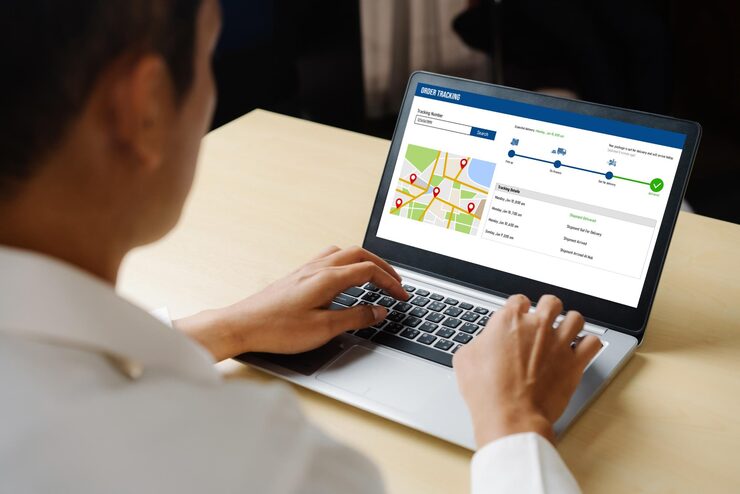
Shoppers who use the search function on an e-commerce store have a specific product in mind and are actively trying to find it. They are among the highest-intent visitors on your site. If your search function returns poor results, shows nothing for slightly misspelled searches, or fails to surface the most relevant products first, you are losing high-intent buyers at the worst possible moment.
Test your own store’s search function by typing in product names, categories, and common customer queries. If the results look wrong, irrelevant, or incomplete, your search configuration needs attention. Many e-commerce platforms have search optimisation settings that allow you to weight results by popularity, margin, or relevance. Use them.
Your navigation structure should make it possible for any visitor to find any product category in three clicks or fewer. If shoppers have to hunt through multiple menu levels to find what they are looking for, many will give up before reaching the product they wanted. Analyse your store’s navigation by looking at exit pages in your analytics. If a high proportion of visitors are leaving from your category pages rather than product pages, the navigation or category structure is likely the cause.
Use Upselling and Cross-Selling to Increase Order Value
Optimising your store for conversions is not only about increasing the number of purchases. It is also about increasing the value of each purchase. Upselling and cross-selling are two straightforward techniques that do this without requiring any new traffic.
Upselling shows the customer a higher-tier version of the product they are looking at, with a clear explanation of what makes it better. A customer looking at a basic version of a product who sees a premium version alongside it with specific benefits listed will often upgrade if the price difference feels reasonable relative to the improvement.
Cross-selling suggests related products that complement what the customer is about to buy. A customer purchasing a camera should see suggestions for memory cards, cases, and lenses. A customer buying trainers should see suggestions for socks, insoles, or cleaning products. Displayed at the right moment, either on the product page or during checkout, cross-sell recommendations consistently increase average order value.
Both techniques are most effective when the suggestions are genuinely relevant to what the customer is buying rather than randomly selected from your most popular products.
Build an Email Strategy That Recovers and Retains
Email is consistently the highest ROI marketing channel in e-commerce. It brings back customers who have purchased before, converts subscribers who have not yet bought, and recovers revenue from abandoned carts. Setting up the right email automations produces ongoing revenue that requires no daily management once the sequences are live.
Beyond cart abandonment emails, the most impactful automations for e-commerce stores are welcome sequences for new subscribers, which introduce the brand and often include a first-purchase incentive. Post-purchase sequences that follow up with care instructions, complementary product suggestions, and a review request. And win-back campaigns that target customers who purchased once but have not returned within a defined period.
For a broader view of how email, paid advertising, and SEO work together within a full digital marketing strategy, Neil Patel’s e-commerce marketing guides cover the integration of these channels in practical, accessible detail.
You can also explore how paid traffic and organic search feed the top of your e-commerce funnel through Mark X Media’s SEO optimization services and PPC campaign management, both of which are built around driving qualified traffic to stores that are properly optimised to convert it.
Test and Measure Every Change You Make
No conversion optimization change should be assumed to work without data confirming it. A/B testing is the process of showing two versions of a page, a product image, a headline, or a button to different groups of visitors simultaneously and measuring which version produces more conversions.
Start A/B testing with the elements most likely to have the biggest impact. Product page headlines, main product images, call to action button copy, and checkout page layout are all high-impact areas worth testing before moving to smaller details.
Run each test for long enough to produce statistically meaningful results. A test that runs for only three days with 200 visitors per variant does not have enough data to draw reliable conclusions. Aim for at least 100 conversions per variant before declaring a winner.
The full scope of digital marketing services that support e-commerce growth, from technical SEO and performance advertising to web development and campaign management, is available through Mark X Media’s services page. If you are running paid traffic and want to ensure your advertising campaigns are sending that traffic to pages built to convert it, that coordination between traffic and conversion optimization is where the strongest results come from.
The Compounding Effect of Getting Conversion Right
Every improvement you make to your e-commerce store’s conversion rate compounds over time. A store that converts 2 percent of visitors and improves to 4 percent doubles its revenue from the same traffic. If that store then also grows its traffic by 30 percent, total revenue increases by 160 percent.
The businesses that grow fastest in e-commerce are not always the ones spending the most on advertising. They are the ones that understand the relationship between traffic quality and store performance, and that consistently invest in both. Better conversion optimization means every pound spent on driving traffic produces more revenue. That compounding effect is where sustainable e-commerce growth lives.
Start with speed, make mobile seamless, write copy that sells, build trust at every touchpoint, simplify your checkout, and test everything. The improvements do not all have to happen at once. Make one change, measure its impact, and move to the next. A store that improves continuously will outperform a store that was built well once and never touched again.