Ultimate Guide to Google Ads, When someone searches for a product or service on Google, paid ads appear right at the top of the results page. Those are Google Ads, and they are one of the most powerful tools a business has for reaching customers at the exact moment they are ready to take action. This guide to Google Ads breaks down how the platform works, what the options are, and how to get started the right way.
What Are Google Ads
Google Ads is an online advertising platform run by Google. It allows businesses to show ads across Google Search, YouTube, Gmail, and millions of other websites that partner with Google.
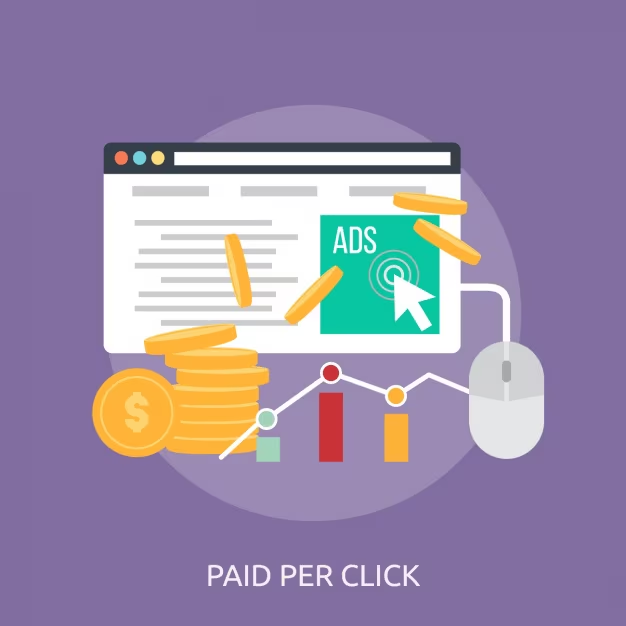
You create an ad, choose who should see it, and set how much you are willing to pay. When someone clicks your ad, you pay a small fee. When nobody clicks, you pay nothing. This model is known as pay per click, or PPC.
The appeal is straightforward. Your ad shows up exactly when someone is already searching for what you sell.
Why Google Ads Is Worth Using
Google processes billions of searches every single day. That means a huge pool of potential customers is already out there looking for products and services like yours.
Unlike traditional advertising, Google Ads gives you full control over your budget, your audience, and your message. You can start with a small spend and scale up once you see what works. Results also come fast. Unlike SEO, which takes time to build, a Google Ads campaign can bring visitors to your website within hours of launching.
For businesses that want immediate visibility while their long term organic presence grows, Google Ads fills that gap effectively.
How Google Ads Works

Google Ads runs on an auction system. Every time someone performs a search, Google runs a quick auction to decide which ads show up and in what order.
Winning that auction does not just depend on how much you bid. Google also looks at something called Quality Score, which measures how relevant your ad is to the search, how good your landing page is, and how likely people are to click your ad.
A business with a well written, highly relevant ad can appear above a competitor who bids more money but has a weaker ad and a poor landing page. This rewards quality over budget, which is good news for smaller businesses.
Types of Google Ads Campaigns
Google Ads offers several campaign types, each suited to different goals.
Search campaigns show text ads on Google’s search results page when someone types in a related keyword. These are the most common type and work well for businesses that want to capture people actively searching for their product or service.
Display campaigns show image or banner ads across millions of websites, apps, and YouTube. These are better for building brand awareness and reaching a broad audience.
Shopping campaigns show product images, prices, and store names directly in search results. These are used by e-commerce businesses to drive product sales.
Video campaigns run ads on YouTube, either before or during videos. They work well for storytelling, product demonstrations, and brand building.
Performance Max campaigns use Google’s automation to show ads across all Google platforms with a single campaign setup. They are useful for businesses that want broad reach without managing multiple campaign types separately.
Choosing the right campaign type matters as much as the budget behind it. If you are unsure which type fits your goals, working with a team that manages Google Ads professionally can save both time and money.
Key Google Ads Terms You Should Know
A few terms come up repeatedly when working with Google Ads. Knowing them early makes the rest of the process much easier.
Keyword: the word or phrase a person types into Google that triggers your ad to appear.
Bid: the maximum amount you are willing to pay for a single click on your ad.
Quality Score: a score from one to ten that Google gives your ad based on relevance and expected performance.
Click through rate (CTR): the percentage of people who clicked your ad after seeing it.
Cost per click (CPC): the actual amount you paid for each click.
Conversion: when someone completes a desired action after clicking your ad, such as making a purchase or submitting a contact form.
Ad rank: the position your ad gets in the auction, determined by your bid, Quality Score, and other factors.
Setting Up Your First Google Ads Campaign
Starting a campaign for the first time can feel like a lot of steps, but it follows a clear process.
First, create a Google Ads account and link it to your website. Then choose a campaign type based on your goal. Set your target location, language, and budget. Choose the keywords you want to bid on. Write your ad copy, which includes a headline and a short description. Finally, link your ad to a landing page that is relevant to what the ad promises.
Before launching, set up conversion tracking so you can measure whether your clicks are actually turning into results. Running a campaign without tracking is like driving without a dashboard.
How to Choose the Right Keywords
Keywords are the foundation of any search campaign. Choosing the wrong ones can drain your budget quickly.
Start by thinking about what your ideal customer would type into Google when looking for your product or service. Tools like Google Keyword Planner can show you how many people search for different terms and how competitive they are.
Short, broad keywords like “shoes” attract a high volume of searches but also a lot of people who are not ready to buy. Longer, more specific phrases like “men’s running shoes under 5000 rupees” attract fewer searches but much more targeted buyers.
Negative keywords are equally important. These are words you add to your campaign to stop your ad from showing up for unrelated searches. For example, if you sell premium furniture, you might add “cheap” or “free” as negative keywords to filter out budget seekers.
For a deeper understanding of keyword strategy, Google’s Keyword Planner is a free tool worth exploring directly.
Writing Ads That Actually Get Clicks
A good Google ad is short, clear, and directly relevant to what the person searched for. You have a limited number of characters, so every word needs to earn its place.
Your headline is the most important part. It should match the search intent as closely as possible. If someone searches “web design for small business,” your headline should reflect exactly that.
Your description should support the headline by highlighting a key benefit or a specific reason to choose you, such as experience, pricing, speed, or a guarantee.
Always end with a clear call to action. Phrases like “Get a Free Quote,” “Book a Consultation,” or “Shop Now” tell the reader exactly what to do next.
Strong ad copy combined with an equally strong landing page is what separates campaigns that perform from those that drain budget. A digital marketing team with copywriting experience can help craft ad messaging that connects with the right audience.
Setting a Budget That Makes Sense
Google Ads lets you set a daily budget, which controls how much you spend per day on average. Start with a budget you are comfortable testing with, then increase it once you identify what is working.
A very low budget can limit how much data you collect, making it harder to optimize. A very high budget without proper setup can waste money quickly.
You also control how much you are willing to bid per keyword. Automated bidding strategies, where Google adjusts bids for you based on your goal, can help beginners get started without needing to manage every bid manually.
How to Track Your Google Ads Performance
Tracking is what turns guessing into decision making. Google Ads has a built in reporting dashboard that shows key metrics like clicks, impressions, CTR, CPC, and conversions.
Linking your Google Ads account to Google Analytics gives you even more detail, including what visitors do after they click your ad, which pages they visit, and how long they stay.
Review your data at least weekly when starting out. Look for keywords that are spending money but not converting, and either improve the landing page, adjust the bid, or remove the keyword entirely.
For broader benchmarks and industry comparison data, WordStream’s Google Ads benchmarks offer useful reference points across different industries.
Common Google Ads Mistakes to Avoid
Many first time advertisers make the same errors. The most common is using broad keywords without enough negative keywords, which leads to ads showing for irrelevant searches and wasted spend.
Sending all traffic to a homepage instead of a dedicated landing page is another frequent issue. Landing pages that match the ad message tend to convert much better than generic homepages.
Ignoring Quality Score often results in paying more per click than necessary. Improving ad relevance and landing page quality can lower your costs over time.
Not testing multiple ad variations is also a missed opportunity. Running two or three versions of an ad to see which one performs better is one of the fastest ways to improve results.
Google Ads vs Social Media Ads
Both are paid advertising options, but they serve different purposes.
Google Ads reaches people who are actively searching for something specific. Social media ads reach people based on their interests and behavior, even if they are not actively looking for your product at that moment.
Google Ads tends to work well for capturing demand that already exists. Social media ads are better for creating demand and building brand awareness with new audiences.
Many businesses get the best results using both together. While Google Ads captures high intent traffic, platforms like Facebook or TikTok build broader awareness. If you are exploring social media advertising alongside Google Ads, TikTok Ads and social media marketing are both areas where Mark X Media can help.
Final Thoughts
Google Ads is one of the most direct ways to put your business in front of people who are already looking for what you offer. The key is to start with clear goals, choose relevant keywords, write focused ads, and track everything from day one.
Getting the setup right from the beginning saves money and delivers faster results. If you want expert help managing your Google Ads campaigns, the team at Mark X Media can build and run campaigns that are designed to perform. You can get in touch to talk through your advertising goals.