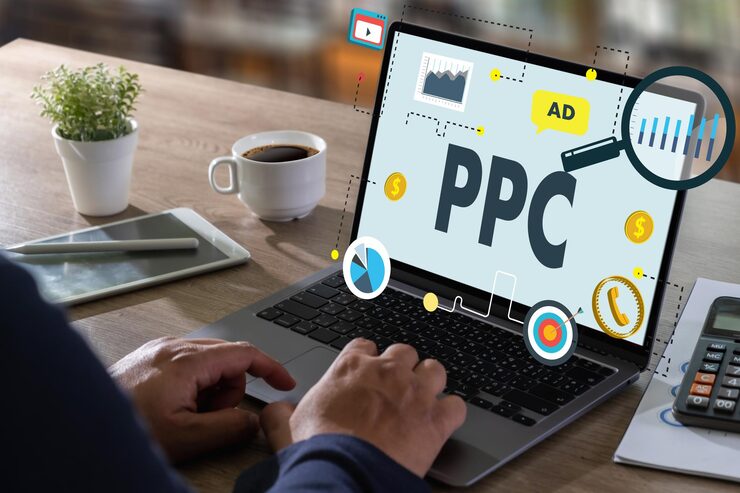
PPC Ad Copy Tips, Every time your ad appears in a search result, you have a fraction of a second to convince a real person to choose your link over the ones sitting next to it. You are not competing with a blank page. You are competing with every other business that bid on the same keyword, all of them showing up at the same moment, all of them trying to earn the same click.
The difference between an ad with a two percent click-through rate and one with an eight percent click-through rate is almost never the budget. It is almost always the words.
Better ad copy does more than get more clicks. It attracts the right clicks from people who are genuinely interested in what you offer, which means higher conversion rates, lower cost per customer, and a better Quality Score from Google that reduces how much you pay per click over time. Every improvement to your copy pays you back in multiple ways.
These twelve tips cover the core principles of PPC ad copy that consistently performs. Apply them one at a time, test your results, and you will see measurable improvement without spending an extra dollar on your budget.
Tip 1: Match Your Headline to the Search Query
The first thing a user does when they see a search results page is scan for words that match what they typed. This happens in less than a second and it is largely unconscious. If your headline contains the same words the user searched for, their eye lands on your ad first.
This is called keyword relevance, and it is one of the most powerful tools in paid search advertising. If someone searches for “affordable website design for small businesses,” an ad headline that reads “Affordable Website Design for Small Businesses” will outperform a generic headline like “Get a Great Website Today” almost every time.
Google even offers a feature called dynamic keyword insertion that automatically places the user’s search term into your headline. Used carefully, it can dramatically improve relevance across a wide range of search queries without writing a separate ad for each one.
The goal is simple: make the user feel immediately that your ad understands exactly what they were looking for.
Tip 2: Lead with the Benefit, Not the Feature
Features describe what your product or service does. Benefits describe what the customer gets as a result. Most businesses default to writing about features because they know their own product well. But customers are searching for solutions to their problems, not for technical specifications.
Consider the difference between these two headlines:
“Cloud-Based Accounting Software with 200 Built-in Reports”
versus
“Close Your Books in Half the Time With Our Accounting Software”
The first describes what the product has. The second describes what the customer gains. Both might appeal to the same audience, but the second speaks directly to the outcome the customer wants, which is saving time, not having access to 200 reports.
Before writing a single word of ad copy, write down the main outcome your customer gets from using your product or service. Start there.
Tip 3: Use Numbers and Specifics
Specific claims are more believable than general ones and more eye-catching in a list of similar ads. Numbers stand out visually and carry an implied precision that vague language does not.
Compare these two descriptions:
“Trusted by thousands of happy customers across the country”
versus
“Trusted by 14,000 customers in 32 countries since 2018”
The second version says roughly the same thing but feels more credible because it is specific. Nobody made up 14,000 on a whim. Specific numbers signal real data, and real data builds trust quickly in the few seconds someone spends deciding whether to click.
Use numbers wherever they are honest and available. Discount percentages, delivery times, customer counts, years in business, satisfaction rates, and response times all make for stronger ad copy than vague superlatives like “industry-leading” or “world-class.”
Tip 4: Write a Strong Call to Action

A call to action tells the reader exactly what to do next. Without one, even interested users sometimes scroll past because the next step is not obvious. Every ad needs a clear, direct call to action that matches the goal of the campaign.
The best calls to action are specific and low-friction. “Get Your Free Quote Today” is stronger than “Learn More.” “Book Your Spot Now” is stronger than “Click Here.” “Download the Free Guide” is stronger than “See Details.”
Match your call to action to where the buyer is in their decision. Someone in early research mode responds better to “Get the Free Guide” than “Buy Now.” Someone who already knows what they want and is comparing options responds better to “Get a Custom Quote in 60 Seconds.”
The call to action is the bridge between your ad and your landing page. Make it specific and make it match what happens when they click.
Tip 5: Address a Pain Point Directly
People are more motivated by avoiding pain than by gaining something new. This is not a manipulation tactic. It is simply how human decision-making works, and understanding it makes your copy more honest and more effective at the same time.
If your audience is small business owners worried about wasting money on ads that do not work, an ad that says “Stop Wasting Your Ad Budget on Clicks That Do Not Convert” speaks directly to a fear they already have. You are not creating anxiety. You are acknowledging something they are already thinking about.
Pain point-focused copy performs especially well for service businesses because services are often purchased to solve a specific problem. Identify the one problem your ideal customer is most frustrated by right now and address it clearly in your headline or description.
Our Google Ads management services are built around understanding your customer’s real motivations so that every campaign speaks to the right problem and drives the right action.
Tip 6: Use Ad Extensions to Take Up More Space
Ad extensions are additional pieces of information that appear below your main ad text. They include sitelinks, which are extra links to specific pages on your site, callouts, which are short benefit statements, structured snippets, phone numbers, and location information.
Extensions do two important things. First, they give users more reasons to click by showing more of what you offer. Second, they make your ad physically larger on the page, which pushes competitor ads further down and increases your visibility even when you are not in the top position.
According to the Google Ads Help Center, adding extensions can increase click-through rates by several percentage points without increasing the cost per click. They are free to add and almost always worth using.
Set up every extension that is relevant to your business. At minimum, use sitelinks, callouts, and a call extension if your business takes phone calls.
Tip 7: Create a Sense of Urgency Without Being Dishonest
Urgency moves people from “I will think about it” to “I will do it now.” When there is no reason to act immediately, people tend to delay, and delay often means they never come back. Adding a real time-sensitive element to your ad copy reduces that delay.
The key word is real. Fake urgency, like a countdown timer that resets every time someone visits the page, destroys trust the moment the user figures it out. Honest urgency, like a genuine sale ending on a specific date, limited spots in a service package, or a seasonal offer, creates a legitimate reason to act now.
Good urgency phrases for ad copy include: “Offer Ends Friday,” “Only 8 Spots Left This Month,” “Free Shipping This Week Only,” and “Register Before Thursday.” Each works because it gives the user a real reason to act today rather than tomorrow.
If you have nothing genuinely time-sensitive to offer, focus on speed of delivery instead. “Get Results in 48 Hours” or “Same-Day Estimates Available” creates a different kind of urgency around how fast the customer benefits.
Tip 8: Mirror the Language Your Customers Use
Many businesses write ad copy in the language of their industry rather than the language of their customers. The gap between those two is often wider than they realize.
A cybersecurity company might talk about “endpoint protection and threat mitigation.” Their customers are probably searching for “how to stop hackers” or “protect my business from data breaches.” Both describe the same service, but only one matches what real people type into Google.
The fastest way to find your customers’ language is to read their own words. Look at your reviews, read the questions people ask in forums and social media comments, and pay attention to how customers describe their problem when they contact you. Use those exact phrases in your ad copy.
Think with Google publishes research showing consistently that ads written in the user’s own language outperform industry-standard messaging across nearly every category. Speak like your customer, not like a trade publication.
Tip 9: Keep Your Message Simple and Direct
A paid search ad is not the place for nuance. You have a headline of roughly 30 characters and a description of around 90 characters. There is no room for complicated sentences and no time for a reader to decode what you mean.
One ad, one message. Pick the single most compelling thing about your offer and make that the center of your copy. Save secondary benefits for your sitelinks and callout extensions.
Read your ad out loud after you write it. If it sounds like a legal disclaimer or a corporate brochure, rewrite it. If it sounds like something a real person would say to a friend who needed your service, it is ready to test.
Strong ad copy is almost always simpler than you expect. The discipline of cutting unnecessary words from your headlines is one of the most valuable skills in paid search advertising.
Tip 10: Test Multiple Versions of Every Ad
No expert can tell you with certainty which version of your ad will perform better before it runs. The only way to find out is to test. Running two or three versions of an ad simultaneously with different headlines or descriptions reveals what your specific audience responds to, which is always more valuable than any general best practice.
Google’s Responsive Search Ads format makes testing easier by letting you submit up to 15 headlines and four descriptions. Google’s system tests different combinations automatically and favors the ones that get the best results.
Look at your test results after a minimum of two weeks and at least 100 clicks per version. Small sample sizes produce misleading data. When you find a winning combination, pause the lower performers and create new challengers to test against the winner. Testing never stops because audiences change and markets shift.
Tip 11: Make Sure Your Ad Matches Your Landing Page
A high click-through rate is only valuable if those clicks convert. One of the fastest ways to ruin your conversion rate is to promise something in your ad that the landing page does not deliver immediately.
If your ad says “Get a Free Website Audit Today,” the landing page should show a clear form to request that audit within the first screen. If it sends users to your generic homepage where they have to hunt for the offer, most of them will leave.
This concept is called message match, and it affects both your conversion rate and your Google Quality Score. Google measures how closely your ad, your keywords, and your landing page relate to each other. A strong match earns a higher Quality Score, which means Google charges you less per click and gives you better ad placement.
Our Digital Marketing services treat ad copy and landing page design as a connected system because the handoff between the click and the conversion is where most campaigns succeed or fail.
Tip 12: Watch Your Quality Score and Improve It
Quality Score is Google’s rating of how relevant and useful your ads are to the people who see them. It is scored from one to ten and directly affects how much you pay per click and how often your ads appear.
A Quality Score of eight, nine, or ten means Google considers your ad highly relevant. As a reward, it charges you less per click and places your ad higher on the page than competitors with lower scores who are bidding the same amount. A low Quality Score has the opposite effect: you pay more and appear less often.
Three factors determine your Quality Score. The first is expected click-through rate, which is Google’s prediction of how likely users are to click your ad. The second is ad relevance, which measures how closely your ad matches the intent behind the keyword. The third is landing page experience, which measures how useful your landing page is to users who arrive after clicking.
Improving your ad copy to earn more clicks improves the first two factors directly. Improving your landing page improves the third. Resources like WordStream’s PPC guides offer detailed frameworks for diagnosing and improving Quality Score across entire campaigns.
Strong SEO foundations also support your paid search performance because a well-structured, fast-loading site earns better landing page scores. Our SEO Optimization services and paid advertising work together to strengthen both channels at the same time.
Better Copy, Lower Cost, More Customers
Better PPC ad copy is not about being clever for its own sake. It is about understanding what your customer is looking for at the exact moment they search, and giving them the clearest possible reason to believe you have it.
Start with the tips that apply most to your current campaigns. Match your headlines to search queries. Speak to a real pain point. Write a clear call to action. Test two versions. Check your Quality Score. Each improvement compounds on the last, and the gains show up both in lower cost per click and in higher conversion rates.
Paid advertising can produce fast results, but only when the words are doing their job. The businesses that get the most from their ad budgets treat copy as seriously as they treat bidding strategy and targeting.
If you want expert help writing and managing ads that consistently drive qualified clicks and conversions, our Google Ads services are built to do exactly that. And if you need strong organic content that supports your paid campaigns, our content writing and social media marketing teams work alongside your ad strategy to make every channel stronger.